








The Acer Nitro V 16 AI ANV16-61-R3W6 is a high-powered gaming laptop built for gamers, multimedia producers, students, and other professionals who need reliable performance. Equipped with AMD’s Ryzen AI 9 processor and NVIDIA GeForce GTX 5070 graphics, this laptop delivers an attractive blend of gaming power, modern AI features, and everyday productivity.
With its large 16-inch high refresh rate display, 32GB of DDR5 memory, and 1TB of fast SSD storage, the Nitro V 16 AI is geared up to handle demanding applications, multitasking, and modern gaming.
But is it worth it? Let’s find out.
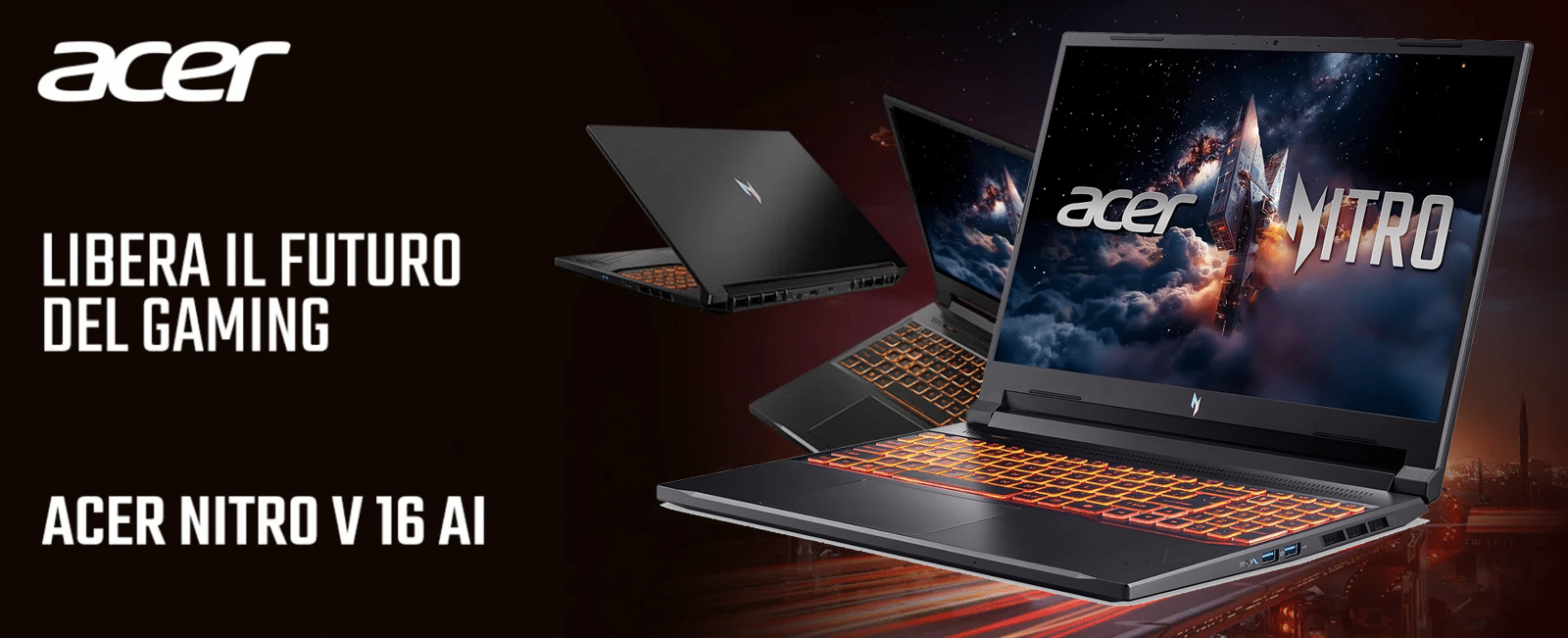
1. Design and Build Quality
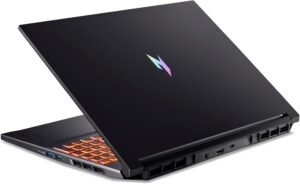
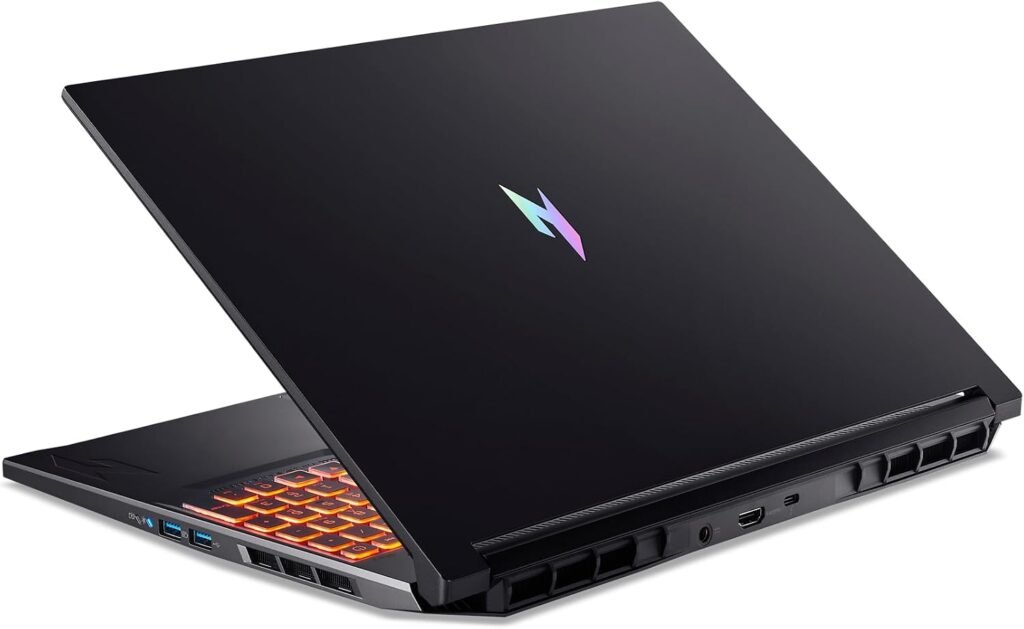
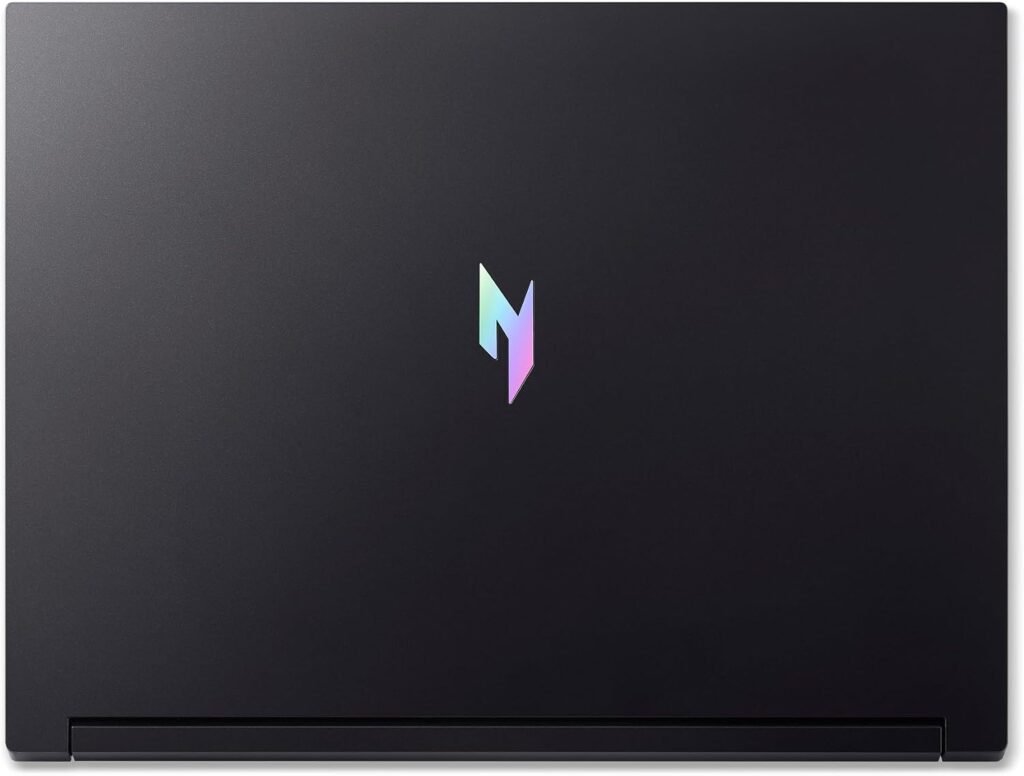
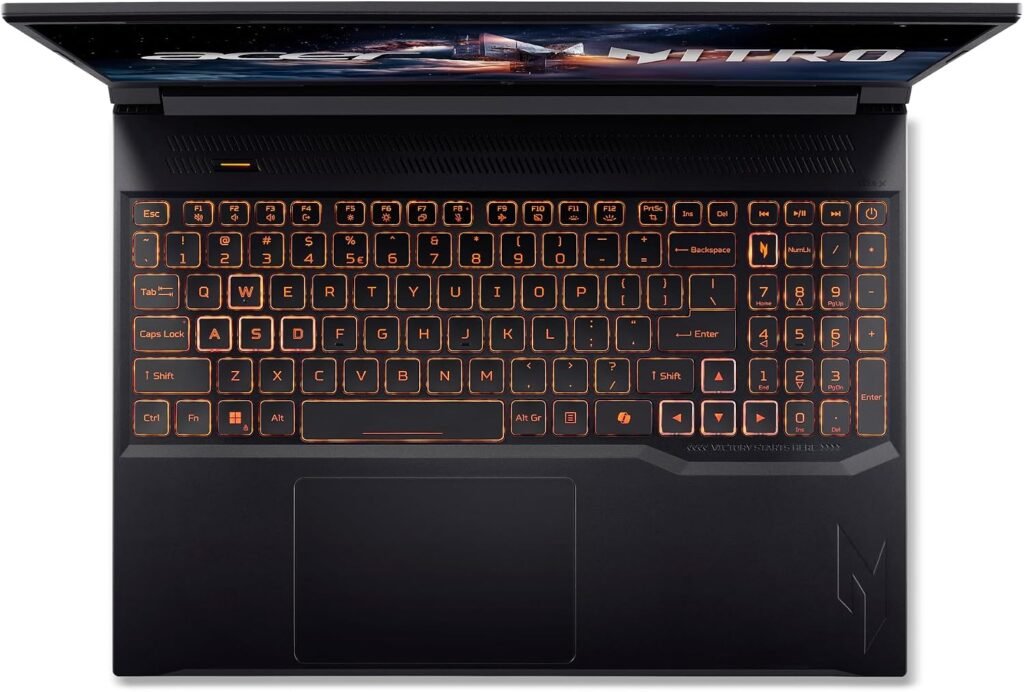
Acer Nitro V 16 AI features a modern gaming design in Obsidian Black. Its appearance is much subtler than some other gaming laptops, and it can be used in both gaming and professional settings.
The screen dimensions are 360 x 275.6 x 24.5 mm, and it weighs around 2.43 kg. Although not an ultralight laptop, its size is adequate for a 16-inch gaming notebook.
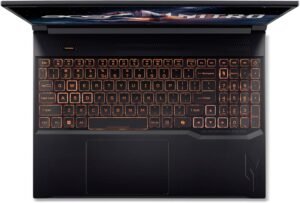
It is illuminated in orange, making it more noticeable to those who are playing games or working at night. It features a full-size layout and a dedicated numeric keypad, which is ideal for work.
Overall, it’s a well-balanced mix of gaming design and everyday usability.
2. Display Quality
One of the best features of the Acer Nitro V 16 AI is its 16.3-inch display.
The advertised configuration features an IPS panel with a 16:10 aspect ratio and a high refresh rate of up to 180Hz. The official listing has a 2560 x 1600 resolution to provide crisp pictures and more vertical space.
High refresh rates allow smoother movement for games that need to budge quickly, such as competitive games.
On top of that, IPS technology gives users wide viewing angles and an immersive viewing experience for everyday work, entertainment, and content creation.
Display specifications can vary depending on your locale, so check the exact display resolution before buying.
3. Processor and Performance
The laptop is powered by the AMD Ryzen AI 9 365 processor based on Zen 5 architecture.
This processor comes with:
- 10 CPU cores. You are a writing assistant.
- 20 processing threads.
- Up to 5.0GHz boost frequency.
- Integration of AMD Radeon 880M graphics.
- Dedicated AI processing resources.
The Ryzen AI 9 365 is designed for multitasking, productivity applications, software development, and content creation.
Darüber hinaus, the AI processing engine supports AI workloads that are supported by the AMD Intel® Xeon® processors as well as modern Windows AI apps.
Designed for those who work with lots of applications, large files, and demanding software, this processor has a powerful hardware foundation.
4. Graphics and Gaming Performance
Graphics performance is one of the biggest draws of the Acer Nitro V 16 AI.
The laptop is powered by an NVIDIA GeForce RTX 5070 Laptop GPU with 8GB of dedicated GDDR7 graphics memory.
Its graphics capabilities include:
- NVIDIA Blackwell architecture is the basis of the graphics engine.
- Supports ray tracing.
- DLSS technology will help in the delivery of the first round of DLSS.
- Graphics processor based on AI. You are a rewriting assistant.
- It includes 8 GB of GDDR7 VRAM.
These technologies improve the visuals, lighting, and performance of supported games.
This laptop is well suited to modern AAA games, competitive gaming, video editing, and graphics-intensive creative applications thanks to the RTX 5070.
There is no guarantee of a precise frame rate for every game. FPS can vary based on the game, graphics settings, resolution, cooling, and power settings.
5. RAM and Storage
Acer Nitro V 16 AI has 32GB of DDR5 memory that is scalable to up to 5600MT/s.
This memory capacity is useful for:
- Gaming and multitasking are a must when you are doing multitasking.
- Video editing is an art that is based on video itself.
- You are the rewriting assistant.
- Graphic design: You are rewriting this article.
- Running demanding applications is not as easy as you may think.
The notebook has a 1TB PCIe NVMe SSD.
The SSD provides fast app loads, quick boot times, and enough space for games, software, documents, and multimedia files.
The PCIe 4.0-based storage interface provides fast data transfer.
6. Cooling System
Gaming laptops require a good cooling solution to keep up with demands.
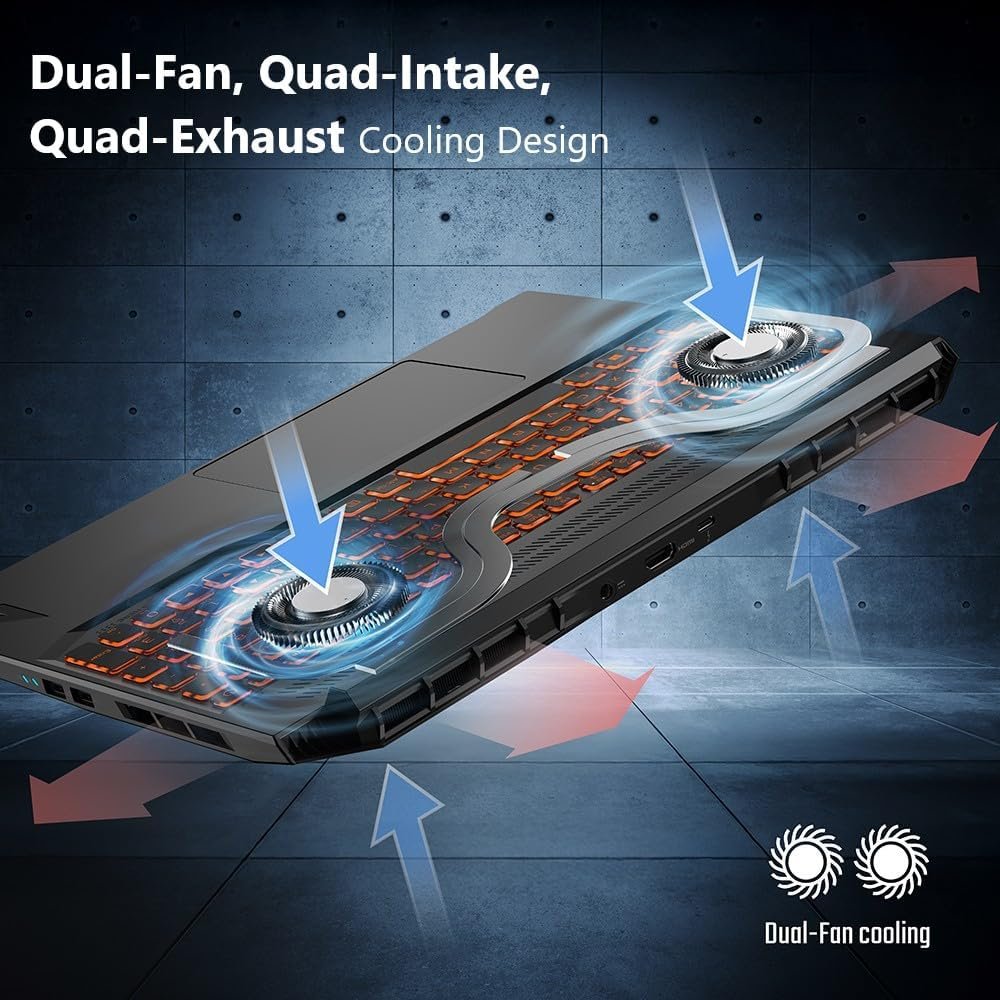
The Acer Nitro V 16 AI uses dual-fan cooling to manage the heat generated by its processor and graphics card.
Acer’s NitroSense software can also be used to monitor system temperatures and set fan speed and performance.
Depending on the performance mode, fan noise and temperature can rise during gameplay.
For the best gaming experience, place the laptop on a hard, flat surface and keep its ventilation ports free of obstructions.
7. Battery Life and Charging
There is a 76Wh lithium-ion battery inside the laptop.
Battery life varies based on screen brightness, job load, graphics use, applications running in the background, and battery power setting.
Battery life for general usage and browsing the Internet is generally better than that during intense gaming.
Those running very demanding games will use more power, so please use the power adapter supplied.





Acer Nitro V 16 Laptop Review
Discover the Acer Nitro V 16 AI ANV16-61-R3W6 gaming laptop with Ryzen AI 9 365, RTX 5070, 32GB DDR5 RAM, 1TB SSD and a 16-inch display.
8. Connectivity and Ports
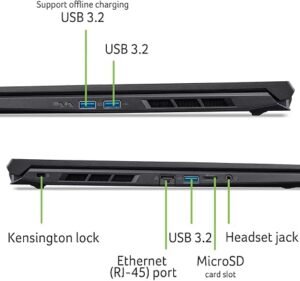
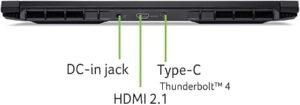
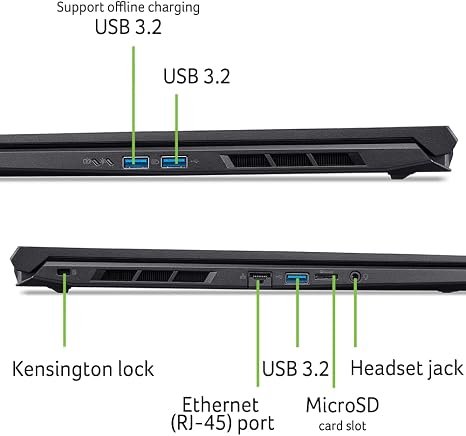
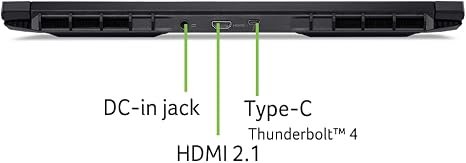
The Acer Nitro V 16 AI includes a number of great connections for gaming and work.
The phone supports :
- Wi-Fi 6 / 802.11ax.
- Bluetooth 5.3, UHF/AE/FM/LIF4/FM/Audio.
- USB-A ports are designed for computers equipped with a USB Type-A port.
- An optional USB4 Type-C cable is also included.
- HDMI output: This video is not intended for use with a 4k television. It’s a video, not a source of entertainment.
- Gigabit Ethernet (RJ-45): Wire Speed Up To 1000 Mbps (RJ-45) Connectivity Options.
- MicroSD card reader – Hello everyone, I am going to write this post.
- 3.5mm stereo jack – connects to your headphones and microphone.
These connections enable users to connect external displays, gaming accessories, storage devices, networking devices, and headphones.
9. Keyboard, Audio and Webcam
The keyboard is orange-backlit for easy gaming and typing.
The large precision touchpad is great for navigation and productivity tasks in the office.
The stereo speakers are sized to perfectly fit into any living room, including those used for video conferences and even just everyday use. A microphone is included with the laptop, as well as a Full HD webcam for online meetings and conference calls.
If you’re playing a game competitively and want to really feel the sound, buying an external headset may be a better choice.
10. AI Features and Productivity
The Acer Nitro V 16 AI is built with the Ryzen AI platform and delivers more capabilities beyond gaming.
Its AI hardware can speed up compatible workloads, including supported productivity and content-creation applications.
Depending on software and configuration, users may be able to use features such as image processing, video effects, or productivity boosts powered by AI.
The laptop will also be useful not only for gamers but also for makers and other professionals who work with modern apps.
11. Pros and Cons
Pros
- The AMD Ryzen AI 9 365 processor.
- NVIDIA GeForce RTX 5070 dedicated graphics.
- 8GB GDDR7 graphics memory.
- There is 32GB of DDR5 RAM.
- Fast 1TB PCIe NVMe SSD.
- Large 16-inch high refresh rate display.
- Modern AI processing capabilities.
- Good USB4 and HDMI connectivity.
- Dual-fan cooling system.
- Backlit gaming keyboard.
Cons
- Relatively heavy compared to thin and light laptops.
- Gaming should be done on an electrical outlet.
- Fan noise can increase under a lot of load.
- The battery life drops when playing intensely.
- Display specifications may vary depending on region.
- Gaming performance is very much dependent on the power of the GPU and temperatures.
Who Should Buy the Acer Nitro V 16 AI?
This notebook is suitable for several types of users.
Gamers: The RTX 5070 graphics card and high-refresh-rate display make this system very appealing for modern gamers.
Creators: With its fast processor, dedicated GPU, and 32GB RAM, you can easily use it for video editing, graphic design, and other creative tasks.
Students: It has enough processing power for demanding academic software, programming, research, and multitasking.
Professionals: Because of its fast storage, modern connectivity, and AI processing, I found iFirma a great option for productivity workloads.
| General Information | |
|---|---|
| Brand | Acer |
| Model | ANV16-61-R3W6 |
| Display & Screen | |
| Display Size | 16-inch |
| Panel Type | IPS |
| Resolution | 2560 × 1600 |
| Refresh Rate | 180Hz |
| Performance & Hardware | |
| Processor | AMD Ryzen AI 9 365 |
| CPU Cores | 10 Cores / 20 Threads |
| GPU | NVIDIA RTX 5070 |
| Graphics Memory | 8GB GDDR7 |
| RAM | 32GB DDR5 |
| RAM Speed | 5600 MT/s |
| Storage | 1TB NVMe SSD |
| Software & Operating System | |
| Operating System | Windows 11 |
| Design & Build Quality | |
| Keyboard | Orange Backlit |
| Weight | Approximately 2.43kg |
| Battery & Power | |
| Battery Capacity | 76Wh |
| Connectivity & Network | |
| Wi-Fi | Wi-Fi 6 |
| Bluetooth | 5.3 |
Final Verdict
Acer’s Nitro V 16 AI ANV16-61-R3W6 gaming notebook is powered by AMD and NVIDIA RTX 5070 graphics.
Its 32GB DDR5 memory, 1TB SSD, 16-inch high-refresh-rate display, and AI processing make it an ideal machine for gaming, content creation, and everyday tasks.
Though its weight and battery life for gaming may not be the most attractive combination for everyone, the system hardware offers a healthy balance of performance and convenience.
If you are looking for a modern gaming laptop that can also handle productivity and creative tasks, then you should definitely check out the Acer Nitro V 16 AI.
Final Recommendation: A reliable gaming and productivity laptop if its price and configuration are available in your region.







Add Comment