








Acer Nitro V 16S AI Review: A Powerful Gaming Laptop for Gamers and Creators
The Acer Nitro V 16S AI Gaming Laptop (ANV16S-41-R2AJ) is designed for users who want a combination of modern gaming performance, multitasking capabilities, and AI-powered computing features. With an AMD Ryzen 7 260 processor, NVIDIA GeForce RTX 5060 Laptop GPU, 32GB DDR5 memory, and a 1TB PCIe Gen 4 SSD, this laptop offers a hardware configuration suited to gaming, productivity, and supported creative applications.
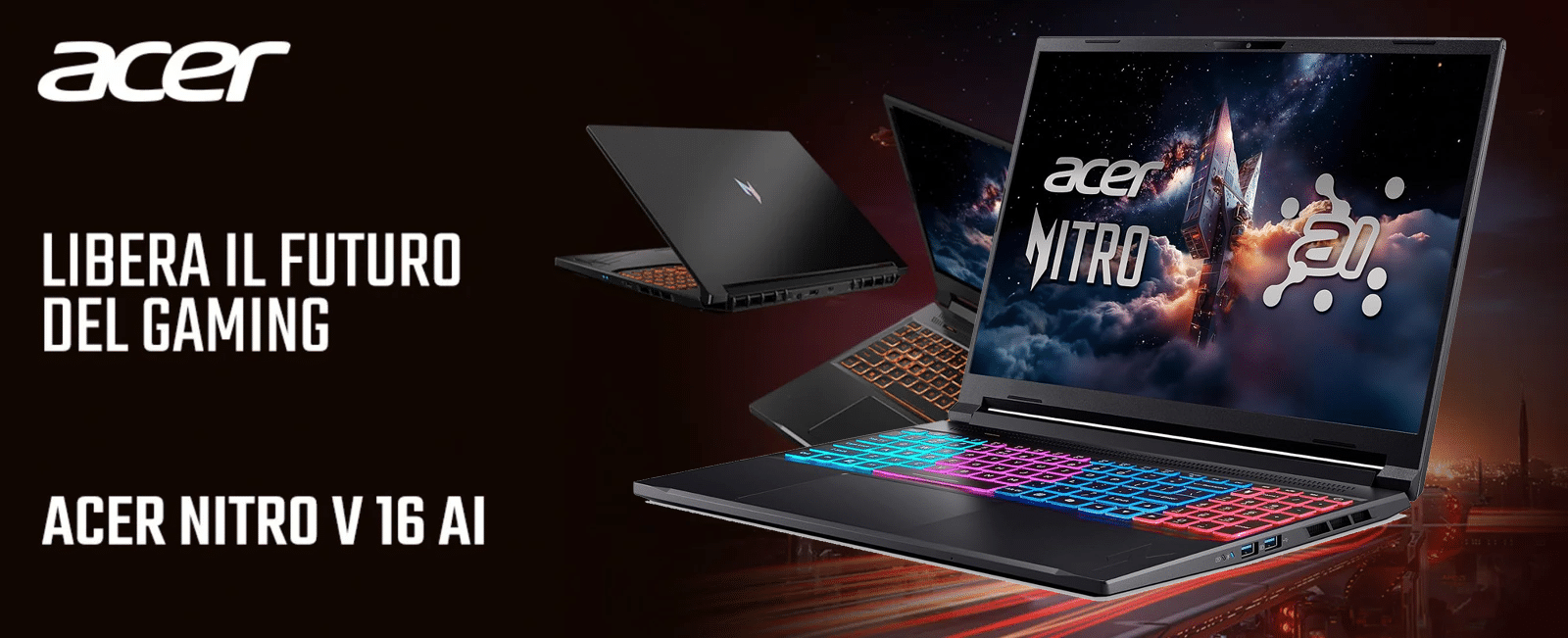
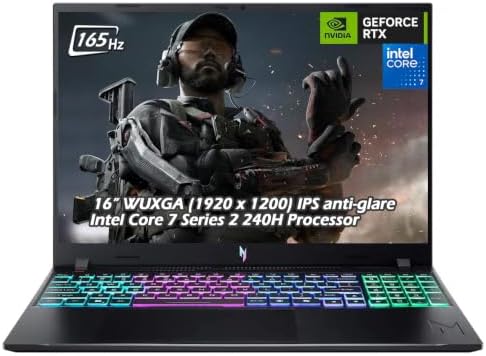
One of its main attractions is the 16-inch WUXGA IPS display with a 180Hz refresh rate. This combination provides additional vertical screen space for everyday tasks while supporting smoother motion in compatible games.
The laptop also includes NVIDIA Blackwell graphics technology, AMD Ryzen AI processing capabilities, Wi-Fi 6 connectivity, and a four-zone RGB backlit keyboard. These features make it an interesting option for people who want a gaming laptop that can also handle everyday computing and professional workloads.
However, choosing a gaming laptop involves more than looking at its processor and graphics card. Display quality, GPU power limits, memory capacity, cooling, battery size, and connectivity all influence the overall experience.
In this guide, we examine the Acer Nitro V 16S AI’s hardware, explain what its specifications mean for everyday users, and discuss its advantages and limitations to help potential buyers decide whether it fits their needs.
1. Design and Build Quality
The Acer Nitro V 16S AI features a black gaming-inspired design that maintains a relatively understated appearance. Rather than relying entirely on aggressive gaming aesthetics, Acer combines a practical exterior with features intended for gaming and everyday use.
This approach makes the laptop suitable for different environments, including home gaming setups, educational settings, and office workspaces.
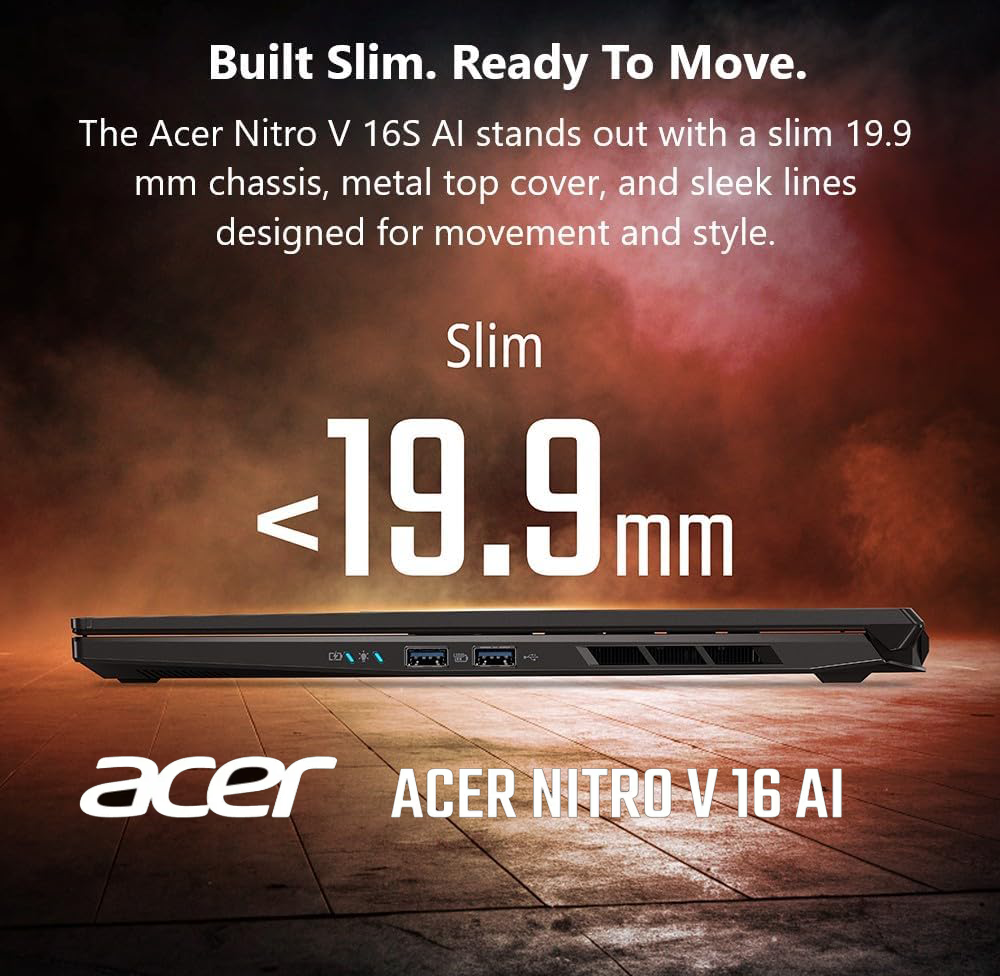
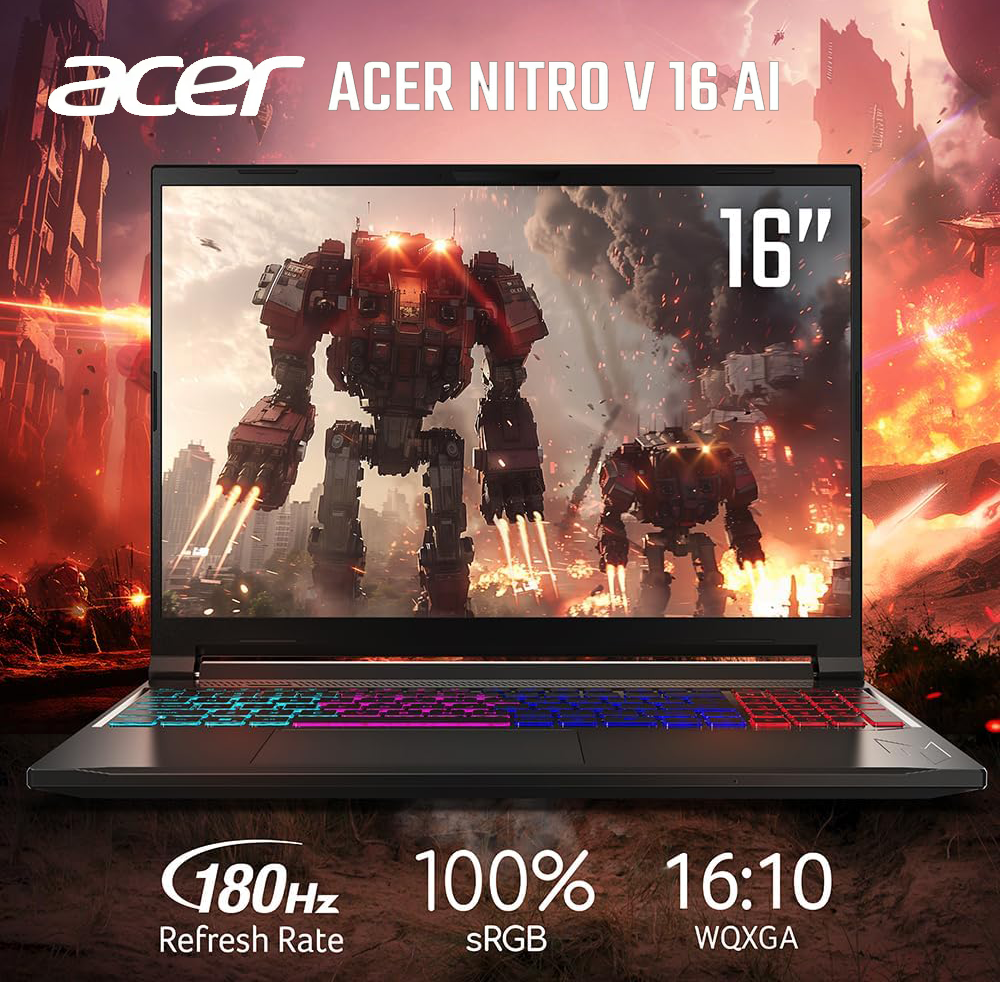
Its 16-inch form factor provides enough space for a full-size keyboard layout and a large display. The laptop also includes a dedicated numeric keypad, which can be useful when working with spreadsheets, entering numerical information, or using productivity applications.
One of the design highlights is its four-zone RGB backlit keyboard. Users can personalize the keyboard lighting through Acer’s NitroSense software, creating different lighting arrangements for their gaming setup.
Portability is another consideration. The laptop weighs approximately 4.6 pounds, making it portable enough to move between locations, although it is heavier than many conventional thin-and-light notebooks.
The overall design prioritizes practical gaming functionality rather than extreme portability.
For buyers who want a machine that can serve as both a gaming laptop and a general-purpose computer, this design approach offers a reasonable balance.
2. Display Quality
The Acer Nitro V 16S AI comes with a 16-inch WUXGA IPS display featuring a resolution of 1920 × 1200 pixels.
Unlike traditional 16:9 Full HD displays, its 16:10 aspect ratio provides additional vertical screen space. This can make a noticeable difference when working with documents, browsing websites, editing spreadsheets, and managing multiple application windows.
The display also supports a refresh rate of up to 180Hz.
A refresh rate measures how many times a screen can update its image per second. A 180Hz panel can display considerably more frames than a standard 60Hz display, provided the computer and game can produce those frames.
This is particularly useful in competitive games where smoother motion can improve visual responsiveness.
The IPS panel also provides wide viewing angles, making it convenient when viewing content from different positions. Acer’s ComfyView matte display technology helps reduce reflections in brightly lit environments.
There are, however, a few considerations.
The 1920 × 1200 resolution is practical for gaming, but it is not as detailed as the 2560 × 1600 displays found in some more expensive gaming laptops. Buyers who prioritize high-resolution creative work may want to compare these options.
Additionally, users who perform professional photo editing should check the panel’s measured color coverage before purchasing, as display resolution and refresh rate alone do not determine color accuracy.
Overall, the combination of a 16-inch IPS panel, WUXGA resolution, and 180Hz refresh rate makes the display particularly relevant to users interested in competitive gaming and everyday productivity.
3. Processor and Performance
At the center of the Acer Nitro V 16S AI is the AMD Ryzen 7 260 processor.
Part of AMD’s Ryzen 200 Series, this processor features eight CPU cores and 16 threads, with a base frequency of 3.8GHz and a maximum boost frequency of up to 5.1GHz.
These specifications provide a capable foundation for multitasking and demanding computing applications.
For everyday users, the processor can support workloads such as:
- Running multiple browser tabs and applications.
- Working with office and productivity software.
- Software development and programming.
- Managing large documents and spreadsheets.
- Editing photos and videos using compatible applications.
- Playing modern PC games alongside background applications.
The eight-core configuration is especially useful for applications that can distribute workloads across multiple processing threads.
Another important feature is the integrated AMD Ryzen AI processing unit.
The NPU is rated at 16 TOPS, providing dedicated acceleration for compatible AI workloads. This is separate from the laptop’s NVIDIA graphics processing capabilities.
For users interested in modern AI-assisted applications, having both an NPU and a dedicated NVIDIA GPU provides different hardware resources for supported tasks.
It is worth understanding that processor specifications do not automatically translate into identical performance across all applications. Actual results depend on software optimization, cooling, power management, and workload requirements.
Nevertheless, the Ryzen 7 260 provides a strong starting point for a laptop intended to handle both gaming and productivity.
4. Graphics and Gaming Performance
Graphics performance is one of the most important parts of a gaming laptop, and the Acer Nitro V 16S AI uses an NVIDIA GeForce RTX 5060 Laptop GPU.
The graphics processor is based on NVIDIA’s Blackwell architecture and includes 8GB of dedicated GDDR7 graphics memory.
This hardware provides access to several modern gaming technologies, including:
- NVIDIA DLSS 4.
- Ray tracing.
- NVIDIA Reflex.
- AI-accelerated graphics processing.
- NVIDIA Studio support for compatible creative applications.
Ray tracing is designed to produce more realistic lighting, reflections, and shadows in supported games. Although it can improve visual quality, it also increases graphics processing requirements.
DLSS 4 uses AI-powered rendering technologies to improve performance and image presentation in supported games.
NVIDIA Reflex is another useful feature for competitive gaming because it focuses on reducing system latency in supported titles.
An important specification to consider is the GPU’s maximum graphics power.
Acer lists the RTX 5060 Laptop GPU in this configuration with up to 85W of maximum graphics power. This matters because laptop graphics performance is influenced by both the GPU model and the amount of power available to it.
Two gaming laptops with the same RTX 5060 GPU can deliver different results depending on their power limits and cooling systems.
For that reason, buyers should not assume that every RTX 5060 laptop offers identical gaming performance.
The RTX 5060 configuration is best considered for users interested in modern gaming at 1080p or 1200p resolutions, with graphics settings adjusted according to the requirements of individual games.
It can also provide useful acceleration for compatible video editing, 3D applications, and other graphics-intensive workloads.
However, actual frame rates should be evaluated through independent testing rather than inferred from the graphics card name alone.
5. RAM and Storage
Memory and storage are two areas where the Acer Nitro V 16S AI offers a useful configuration for demanding users.
The laptop comes with 32GB of DDR5 system memory, with Acer listing 32GB as the maximum supported system memory for this configuration.
This capacity provides room for multitasking without requiring users to constantly close applications to free up memory.
For example, someone working with several browser tabs, productivity applications, communication software, and creative tools can benefit from having 32GB available.
It is also useful for modern games that require more system memory, particularly when users keep additional applications running in the background.
Storage is handled by a 1TB PCIe Gen 4 NVMe SSD.
Compared with traditional mechanical hard drives, NVMe SSD storage offers significantly faster access to files and applications.
This can improve:
- Operating system startup times.
- Game loading times.
- Application launch responsiveness.
- Large-file transfers.
- Access to frequently used documents.
The 1TB capacity also provides reasonable room for a collection of games, applications, videos, and personal files.
However, users who regularly install large AAA games or maintain extensive video libraries may eventually need additional storage.
Overall, the 32GB memory and 1TB SSD combination makes this configuration practical for users who need more than basic everyday computing.
6. Cooling System
Cooling is an important consideration in any gaming laptop because both the processor and dedicated graphics card generate heat during demanding workloads.
The Acer Nitro V 16S AI uses a dual-fan cooling system with a quad-intake design to help manage internal temperatures.
Acer also provides NitroSense software, which allows users to monitor system behavior and adjust supported fan and performance settings.
This is particularly useful because gaming and productivity workloads have different cooling requirements.
During lighter tasks such as browsing, document editing, or watching videos, users may prefer quieter operating conditions.
During gaming sessions or demanding creative workloads, higher fan speeds may be necessary to manage heat.
The laptop’s cooling design is intended to support its processor and graphics hardware under demanding conditions, although actual temperatures and noise levels depend on the workload and environment.
Users should also keep the ventilation openings unobstructed and place the laptop on a firm, flat surface.
For anyone planning extended gaming sessions, cooling performance is worth considering alongside the GPU’s power rating.
7. Battery Life and Charging
The Acer Nitro V 16S AI includes a 76Wh lithium-ion battery.
Battery capacity is an important specification, but it does not provide a guaranteed runtime.
Actual battery life depends on several factors, including screen brightness, processor activity, wireless connectivity, background applications, and power management settings.
Gaming places considerably more demand on the processor and dedicated graphics card than ordinary productivity tasks.
Consequently, users should expect battery consumption to increase significantly when playing demanding games.
The laptop also comes with a 135W power adapter.
For users who want the best available performance from the processor and dedicated GPU, connecting the power adapter during demanding workloads is recommended.
For everyday activities such as browsing, writing documents, and watching videos, using an appropriate battery-saving power mode can help reduce unnecessary energy consumption.
Buyers who frequently travel without access to a power outlet should consider independent battery testing before making a purchasing decision.
8. Connectivity and Ports
Connectivity plays an important role in a gaming laptop because users often connect external displays, gaming accessories, storage devices, and networking equipment.
The Acer Nitro V 16S AI includes Wi-Fi 6 wireless networking and Gigabit Ethernet.
Wi-Fi 6 supports modern wireless networking, while the Ethernet connection provides an alternative for users who prefer a wired network connection.
This can be useful for online gaming, large downloads, and situations where a stable network connection is important.
The laptop also offers several physical connectivity options, including:
- USB Type-A connectivity.
- USB Type-C connectivity, including USB4.
- HDMI video output.
- RJ-45 Gigabit Ethernet.
- microSD card reader.
- Audio connectivity.
These interfaces allow users to connect compatible peripherals, external displays, storage devices, headphones, and other accessories.
The microSD card reader may also be useful for transferring files from compatible cameras and memory cards.
One practical advantage of having both wireless and wired networking is flexibility. Users can work wirelessly in different rooms and connect directly to Ethernet when they need a wired connection.
For gaming setups that use external monitors, keyboards, mice, and headsets, the available ports provide useful connectivity options.
9. Keyboard, Audio and Webcam
The Acer Nitro V 16S AI features a four-zone RGB backlit keyboard designed for gaming and everyday typing.
The lighting can be customized through NitroSense, allowing users to adjust the appearance of different keyboard zones.
The full-size keyboard layout includes a numeric keypad, which can be useful for office applications and numerical work.
The laptop also includes a precision touchpad with Microsoft Precision Touchpad certification.
For audio, Acer lists two built-in speakers and DTS:X Ultra audio technology.
These features provide an integrated audio solution for everyday entertainment, videos, and general computer use.
However, users who regularly play competitive games may prefer an external gaming headset for more detailed audio positioning and microphone performance.
An external headset can also be useful during online meetings, multiplayer gaming, and streaming.
For webcam requirements, buyers should check the exact retailer’s listing or Acer’s regional specification page for the configuration being purchased rather than assuming that every Nitro V model has the same camera hardware.
10. AI Features and Productivity
The Acer Nitro V 16S AI combines AMD Ryzen AI technology with NVIDIA RTX graphics, giving it access to different forms of hardware acceleration.
The AMD Ryzen 7 260 processor includes an NPU rated at 16 TOPS.
An NPU, or Neural Processing Unit, is designed to accelerate certain AI workloads more efficiently than relying entirely on a traditional CPU.
Depending on application compatibility, this hardware may support selected AI-powered Windows features and productivity tools.
The RTX 5060 provides another source of AI acceleration through NVIDIA’s graphics architecture.
Supported applications can use NVIDIA GPU acceleration for activities such as image processing, video workflows, 3D rendering, and other creative tasks.
The laptop may therefore be useful for people who work with modern AI-assisted applications in addition to traditional gaming and productivity software.
Potential applications include:
- AI-assisted image editing.
- Supported video editing workflows.
- Compatible creative software.
- Productivity applications with AI features.
- Software development and programming.
- General multitasking.
It is important to distinguish between having AI-capable hardware and having every AI feature automatically available.
Some applications require specific software versions, subscriptions, operating system updates, or additional hardware capabilities.
The laptop’s NPU rating also should not be confused with the total AI performance of its dedicated NVIDIA GPU.
For users interested in both gaming and supported AI applications, this combination provides additional flexibility.
11. Pros and Cons
Before purchasing a gaming laptop, it is useful to consider both its advantages and its limitations.
The Acer Nitro V 16S AI has several appealing hardware features, but its specifications may not suit every buyer.
Pros
- AMD Ryzen 7 260 processor with 8 cores and 16 threads.
- NVIDIA GeForce RTX 5060 Laptop GPU.
- 8GB dedicated GDDR7 graphics memory.
- 32GB DDR5 system memory.
- 1TB PCIe Gen 4 NVMe SSD.
- 16-inch WUXGA IPS display.
- 180Hz refresh rate for smoother gameplay.
- AMD Ryzen AI with a 16 TOPS NPU.
- NVIDIA DLSS 4 and ray tracing support.
- 76Wh lithium-ion battery.
- Dual-fan cooling with quad-intake design.
- Four-zone RGB backlit keyboard.
- Wi-Fi 6 and Gigabit Ethernet.
- USB4 connectivity and microSD card reader.
Cons
- The 1920 × 1200 resolution is lower than 1600p displays found on some competing laptops.
- The RTX 5060 is not intended to compete with higher-end laptop GPUs.
- Its 85W maximum graphics power should be considered when comparing RTX 5060 laptops.
- Battery life can decrease substantially during demanding gaming sessions.
- Cooling fans may become noticeable under heavy workloads.
- The approximately 4.6-pound weight is less convenient than that of ultralight laptops.
- The 32GB maximum supported memory leaves limited room for future memory expansion.
- No independently verified gaming benchmarks are available in this specification-based review.
Acer Nitro V 16S AI Technical Specifications
The following tables summarize the major hardware specifications of the Acer Nitro V 16S AI Gaming Laptop, model ANV16S-41-R2AJ.
The information is organized into separate categories to make it easier to compare the laptop with other gaming systems.
Who Should Buy the Acer Nitro V 16S AI?
The Acer Nitro V 16S AI is designed for people who need a combination of gaming hardware and general computing capabilities.
However, different users may benefit from its features in different ways.
Gamers
Gamers who want an NVIDIA RTX 50-series laptop with a high-refresh-rate display may find this configuration worth considering.
The RTX 5060, 8GB GDDR7 graphics memory, and 180Hz screen provide a suitable hardware foundation for modern PC gaming.
Its WUXGA resolution also places less rendering demand on the graphics card than some higher-resolution gaming displays.
However, users who regularly play demanding AAA games at maximum graphics settings should compare independent performance benchmarks before purchasing.
Students
Students who need a laptop for programming, research, presentations, and entertainment can benefit from its eight-core processor and 32GB of memory.
The 1TB SSD also provides useful space for academic files, software, projects, and multimedia content.
For students who occasionally play games after completing their work, the dedicated RTX graphics card adds another useful capability.
Content Creators
The Ryzen 7 260 processor, RTX 5060 GPU, and 32GB RAM can support many creative applications.
These include compatible video editing tools, image-processing software, graphic design applications, and selected 3D workflows.
However, professional creators should pay attention to display color accuracy and software-specific hardware requirements before making a decision.
Professionals
Professionals who use demanding applications and frequently multitask may appreciate the processor, memory capacity, and fast SSD.
Its connectivity options also provide flexibility when connecting external displays, storage devices, and office peripherals.
For people who need a laptop that can handle both work and entertainment, the Nitro V 16S AI offers a practical combination of hardware features.
Is the Acer Nitro V 16S AI Worth Buying?
Whether the Acer Nitro V 16S AI is worth buying depends on the type of work and gaming experience a buyer expects.
Its combination of an AMD Ryzen 7 260 processor, NVIDIA RTX 5060 graphics, 32GB DDR5 memory, and 1TB SSD provides a capable foundation for users who want a versatile computer.
The 180Hz WUXGA display is particularly relevant for people interested in competitive gaming, while the 16:10 aspect ratio also provides additional workspace for productivity.
The 85W GPU power rating is an important consideration when comparing it with other RTX 5060 laptops. Buyers should also consider the display resolution, battery capacity, weight, and cooling requirements.
For someone who primarily needs a lightweight computer for basic browsing and office work, a conventional productivity laptop may be more appropriate.
However, users who want dedicated graphics performance alongside a capable processor and generous memory may find this configuration more suitable.
Before purchasing, it is worth comparing the current price with other laptops that offer similar graphics hardware and checking the return policy and warranty conditions.
Final Verdict for Acer Nitro V 16S AI
The Acer Nitro V 16S AI Gaming Laptop (ANV16S-41-R2AJ) brings together several features that make it a versatile option for gaming and everyday computing.
Its AMD Ryzen 7 260 processor provides eight cores and 16 threads, while the NVIDIA GeForce RTX 5060 Laptop GPU adds dedicated graphics capabilities and access to modern technologies such as DLSS 4 and ray tracing.
The 32GB DDR5 memory and 1TB PCIe Gen 4 SSD are also practical additions for users who work with multiple applications, large files, and modern games.
Another important feature is its 16-inch WUXGA IPS display with a 180Hz refresh rate. This provides a useful combination of screen space and refresh-rate capability for both gaming and productivity.
There are some limitations worth considering. The 85W maximum graphics power is important when comparing GPU performance, the 1920 × 1200 resolution is not as detailed as some premium gaming displays, and demanding gaming workloads will place additional pressure on the battery and cooling system.
Nevertheless, the Acer Nitro V 16S AI offers a balanced set of hardware features for buyers who want a gaming laptop that can also serve as a productivity machine.
Our Verdict: The Acer Nitro V 16S AI is worth considering for gamers, students, and professionals who need an AMD Ryzen 7 processor, NVIDIA RTX 5060 graphics, 32GB RAM, fast SSD storage, and a 180Hz display in one laptop.
Its overall value will depend on the price available at the time of purchase and how well its specifications match the buyer’s requirements.
Product Information and Where to Buy
Before placing an order, make sure the product listing identifies the exact Acer Nitro V 16S AI model number: ANV16S-41-R2AJ.
This is important because Acer sells multiple Nitro V laptops with different processors, graphics cards, display configurations, and memory options.
Checking the model number helps reduce the risk of purchasing a different configuration by mistake.
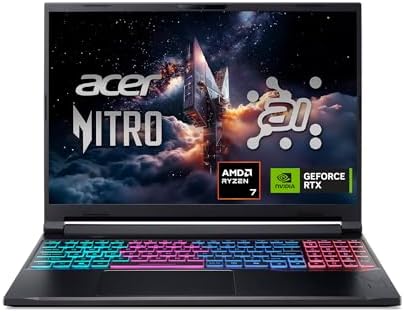
Check the Acer Nitro V 16S AI on Amazon
Visit Acer’s Official Product Specifications
Buying Tip: Compare the seller, product condition, warranty, return policy, and exact configuration before completing your purchase.






Add Comment