









SPanel Web Hosting: The Complete Guide to Faster, Safer, and Smarter Hosting
What Is SPanel Web Hosting and How Does It Work?
SPanel Web Hosting offers a modern, user-friendly hosting system that simplifies Web website owners to manage their servers, files, emails, and security. SPanel is a powerful alternative to cPanel as it provides full control over your website without the licensing fees or complicated setup. It provides a clean dashboard where you can manage domains, install apps like WordPress, back up, and track performance in a few clicks.
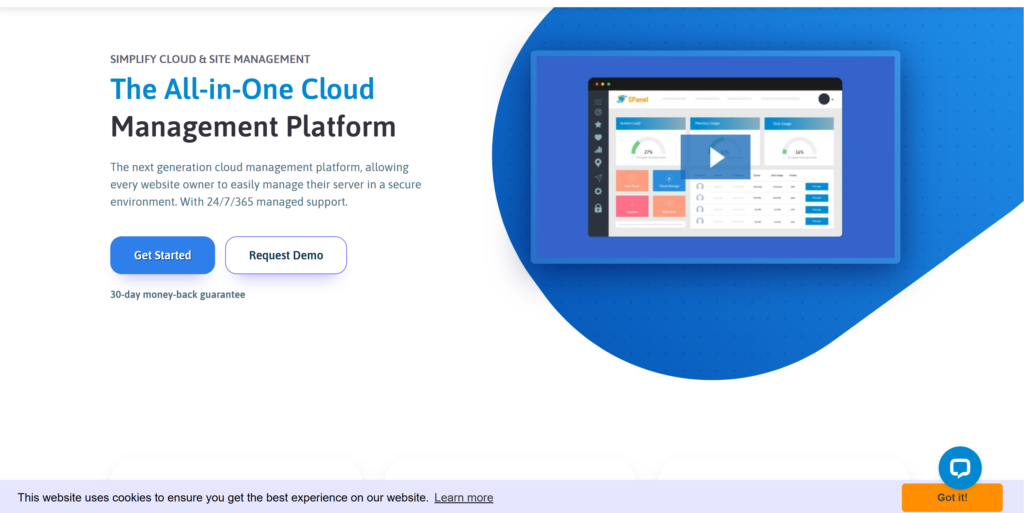
SPanel Web Hosting works on a cloud or VPS server to provide your website with a fast and secure server environment. It also contains tools such as SShield Security for secure real-time protection, a lightweight file manager, automatic backups, and simple software installation. You log into the site, and everything you need is organized in one place: a simple way for beginners to manage. SPanel offers reliable performance, strong security, and complete control over the hosting environment, whether it is a small business website or a high-traffic online store.
Key Features That Make SPanel Web Hosting Stand Out
SPanel Web Hosting provides a wide range of features to help make managing your website easier, faster, and secure. Each tool is designed to help beginners, business owners, and developers make sure they work safely and for great quality at a low price point.
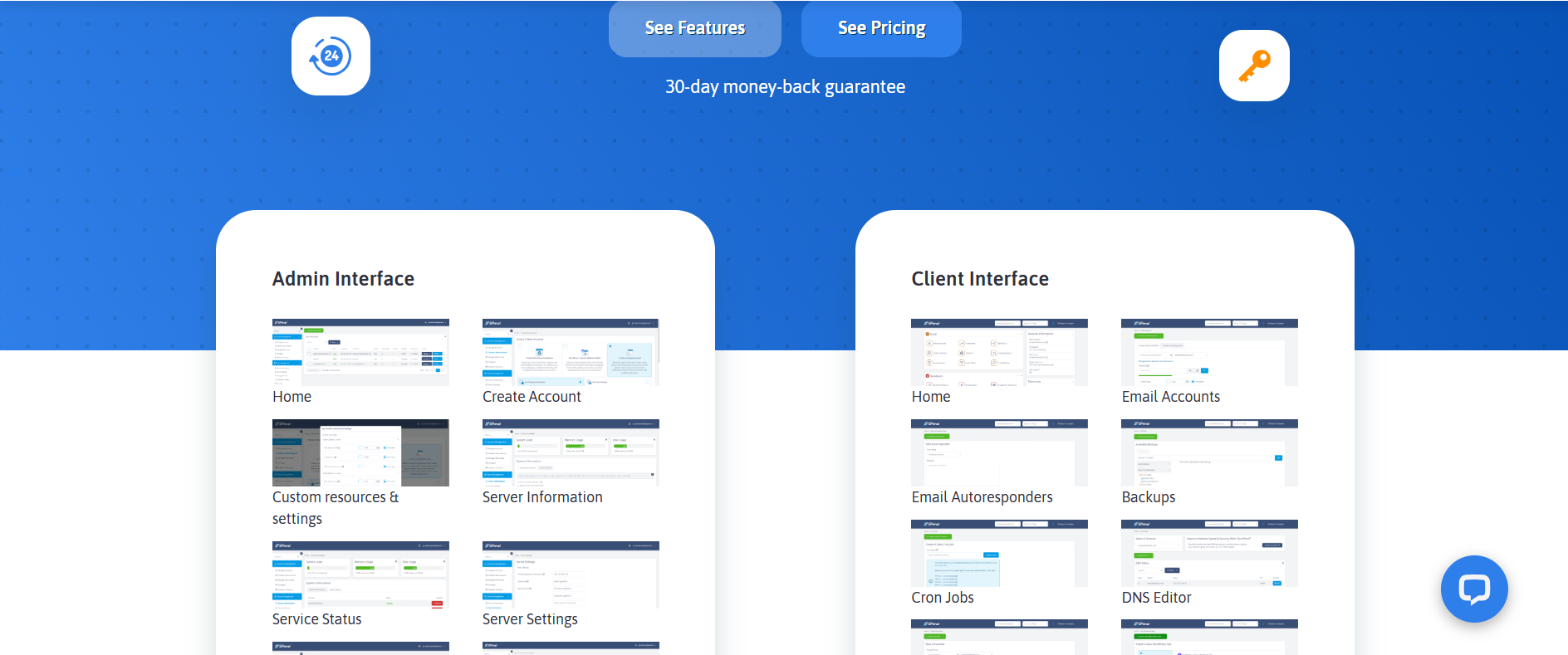
- User-Friendly Control Panel. SPanel Web Hosting provides a clean and intuitive way to manage your domains, files, databases, and emails without the technical knowledge required. Everything is organized clearly to save time and errors.
- SShield Advanced Security. SPanel’s built-in SShield is one of the best advantages of SPanel. This website monitors your website for 24 hours, detects real-time threats, and blocks threats before they cause damage. This makes your site secure without extra plugins or additional fees.
- High-Speed Performance Tools. SPanel is a fast-loading website on modern technologies such as Nginx, LiteSpeed, and caching systems to load your site faster. Fast loading times improve user experience, boost search ranking, and increase conversion.
- Easy Website and App Management. SPanel has one-click installers, backup options, and staging environments that make it easy to install apps, test updates, and restore data. These tools help you keep the site in good order, even during major changes.
- No License Fees Per Account. Instead of paying every month for a yearly subscription, SPanel allows you to create unlimited accounts without a licensing fee. This is good for agencies, resellers, and growing businesses that want efficient hosting.
- Built-In Email and Anti-Spam Tools. SPanel offers professional email hosting with spam protection to easily manage inboxes, filtering, and deliverability. Your communications are safe and reliable.
How to Set Up Your Website Using SPanel Web Hosting
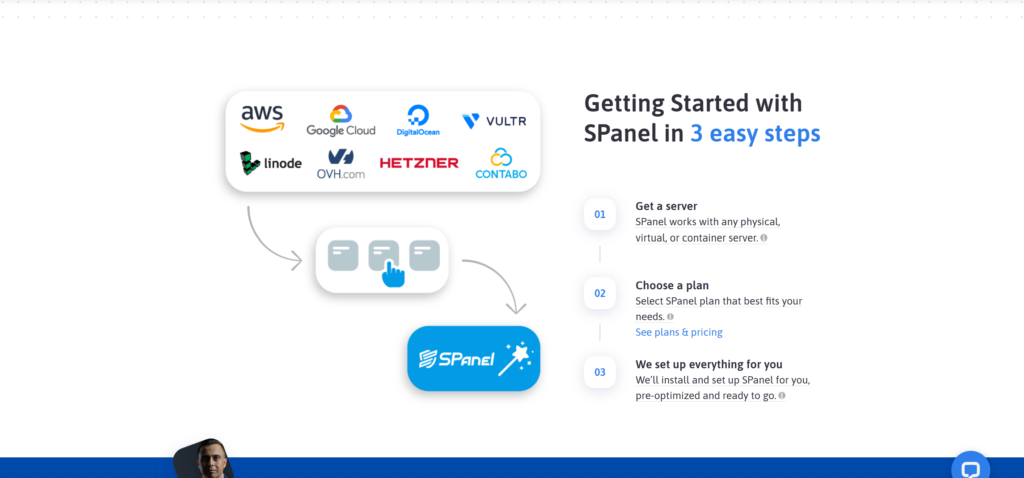
SPanel Web Hosting is fast, secure, and incredibly easy to set up your site. Here are some simple steps you can take to get your site on the web in a snap and safely.
- Log In to Your SPanel Web Hosting Account. To make sure that you can log into your SPanel dashboard, log in to your hosting provider’s account with your account username and password. The dashboard is easy to navigate and very clean, even if you’re new to web hosting.
- Add Your Domain Name. Go to “Domains” in the “Domains” section and add your domain. If your domain is registered elsewhere, update the DNS nameservers to point to the SPanel server. This connects your domain to your hosting account.
- Create Your Website Files or Install a CMS. One click in SPanel lets you upload your own website files with File Manager or install a content management system like WordPress, Joomla, or Drupal. Most beginners choose WordPress because it is simple and flexible.
- Set Up Your Database (If Needed). If you are using a CMS or custom application, create a database using the “MySQL Databases” tool. SPanel provides you with a quick way to generate a database and a user quickly so your site runs smoothly.
- Secure Your Website With SSL. You can access the Let’s Encrypt SSL on the SSH section of the “SSL Certificates” page. This is key to security and user trust, and a greater ranking on search engines. Google prioritizes secure HTTPS sites.
- Create Custom Email Accounts. SPanel can create professional email accounts, such as info@yourdomain.com. This better aligns with your brand and reputation with visitors or customers.
- Upload Your Content or Launch Your CMS. If you have WordPress installed, enter your admin dashboard and start writing pages, adding themes, or modifying your site. If you uploaded files manually, it is best to organize your content as it happens.
- Test Your Site and Fix Any Issues. Have a call to confirm what was done. Check your pages, links, and contact forms. SPanel provides monitoring tools that help you improve speed and performance.
- Enable automatic backups. Close automatic backups so your website is always protected. The SPanel built-in backup system restores any site in an instant.
SPanel Web Hosting Pricing and Plan Breakdown
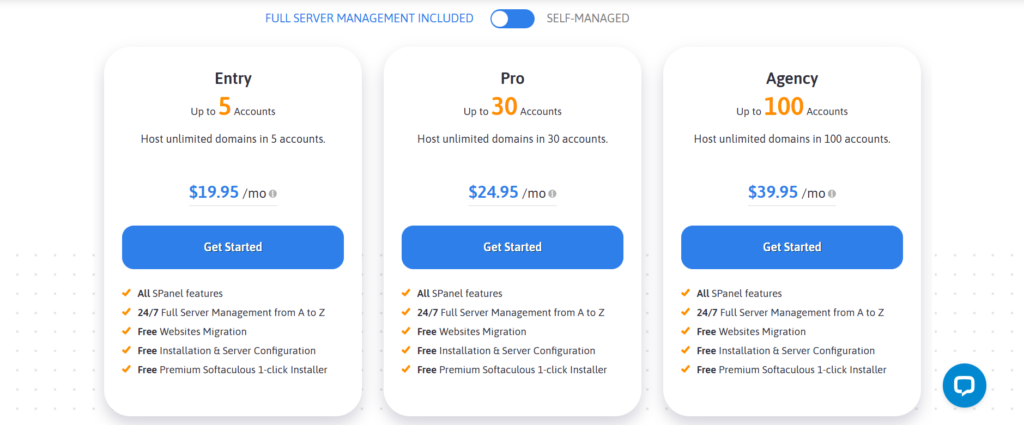
SPanel Web Hosting offers flexibility in pricing that will suit your business, whether you’re running a personal blog, an online store, or a growing company. Pricing is simple, transparent, and free of per-account licensing fees, which means the cost is predictable and budget-friendly.
Step 1: Select Your Server Type. The first step is choosing a server that works for your needs. SPanel is best used with cloud VPS hosting, offering full resources, security, and faster loading speeds.
Step 2: Comparison of Resource Levels. Each plan provides a certain amount of CPU power, RAM, and SSD storage. Find a plan that fits your website size—small sites have the option to start with basic resources, while high traffic projects have more options.
Step 3: Review Benefits Included for All SPanel plans include SShield security, daily backups, free migrations, and unlimited accounts. These built-in tools help you avoid extra costs and keep your site running smoothly.
Step 4: Check Add-Ons and Optional Upgrades. If you want to add features such as premium storage, extra IP addresses or other upgrades, such as LiteSpeed, you can add add-ons. These are available only in case your project needs more performance.
Step 5: If you’re willing to pay more to pay longer, then the Billing Cycle Long-term plans are the best investment. An annual or multi-year payment usually lowers your monthly costs, which is more affordable than SPanel hosting in the long run.
Step 6: Confirm and Launch Your Server Once you choose a plan, you can directly launch your SPanel server. This gives you access to SPanel’s dashboard, tools, and settings, so you can quickly start building and managing your website right away.
SPanel Web Hosting Pros and Cons You Should Know
Pros of SPanel Web Hosting
- Easy-to-use Control Panel. SPanel makes it easy to manage sites, emails, files, and databases, even for beginners.
- SShield keeps. Your site is safe with real-time monitoring for your website 24/7. This allows you to stop threats and make sure that your data is safe without additional security plugins.
- SPanel does not charge per account as opposed to cPanel. This cuts your hosting fees and is suitable for agencies, freelancers, and large businesses.
- High-speed Performance Tools, with LiteSpeed, NGINX, and other caching technologies, SPanel helps websites load faster and run more smoothly.
- Free Website Migrations. Most hosting providers that use SPanel offer free, expert-run migrations and provide you with a free changeover without downtime or stress.
Cons of SPanel Web Hosting
- Fewer Providers Support It. SPanel is growing, so there is little competition between cPanel and Plesk hosting companies.
- Smaller Ecosystem of Integrations. Some third-party tools and plugins are not specifically built for cPanel, but may require additional configuration to enable some of the features.
- Learning Curve for Advanced Users. While beginners find SPanel easy, developers who have used cPanel may need a few weeks to adjust to the new layout and tools.








Add Comment